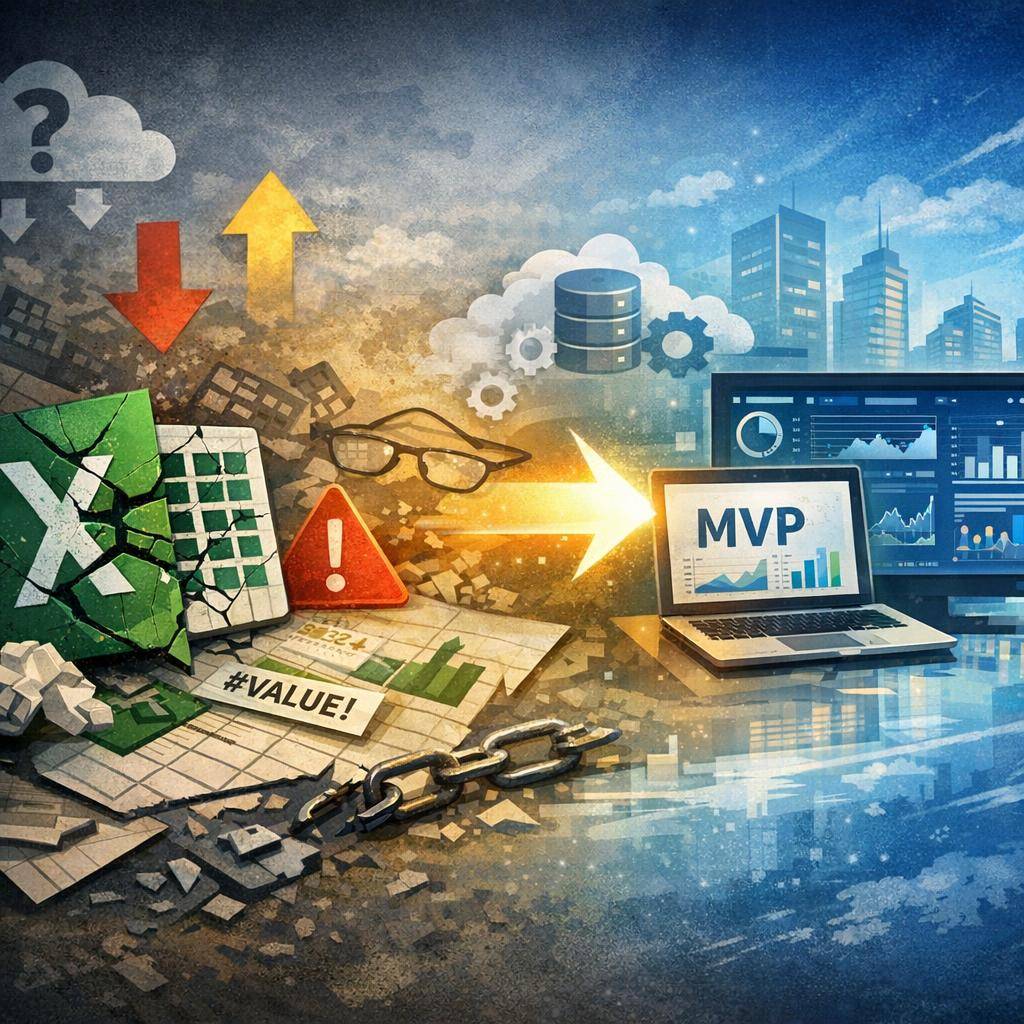
Excel works… until it starts to cost. How do you recognize the tipping point?
In many companies there is one “source-of-truth spreadsheet.” At first it helps: quickly calculate margin, reconcile orders, plan production, control inventory levels. Then daily firefighting begins: someone added a column, someone changed a formula, someone sent the file “final_v7_fixed_final.xlsx,” and on Friday it turns out the shipment went to the wrong address or there are missing components for a job.
Excel is great at the start and often “gets the job done” for a long time. The problem begins when the spreadsheet stops being a tool and becomes the company’s operating system — without audit, without access control, without consistent data definitions, and without resilience to many people working in parallel.
In this article you get specifics: symptoms that Excel is stopping working, risks (errors, lack of audit, version conflicts), and application implementation scenarios from MVP to growth — together with cost ranges and ways to minimize implementation risks.
Who this is for: operations, finance, logistics, and business owners
If you manage processes in spreadsheets and you see the number of exceptions, corrections, and “manual workarounds” growing, you’re in the group for whom moving to a process application can deliver a fast return.
The most common areas that in practice “run on Excel”:
1) Orders (statuses, deadlines, reservations, confirmations, SLA)
2) Warehouse (stock levels, locations, batches/serials, reservations, stocktakes)
3) Production (plan, BOM, consumption, progress, bottlenecks)
4) Document workflow (approvals, versions, attachments, cost links)
The business goal is simple: fewer errors, more control, faster decisions and the ability to scale without adding more hours of “hammering away in a spreadsheet.”
Symptoms that Excel is stopping working (a manager’s checklist)
Below is a checklist. If several points sound familiar, Excel is probably already generating hidden cost (time, errors, risk).
1) Multiple file versions and no certainty “which one is current”
Symptom: files circulate via email/Teams/WhatsApp, and names grow: “final,” “final2,” “ultimate,” “after fixes.” Result: decisions made on outdated data.
2) Manual rewriting of data between sheets, emails, and systems
Symptom: copy-paste from orders to the production plan, from the plan to the shipping list, from shipping to invoicing. Result: typos, duplicates, mismatches, and lack of consistency.
3) Dependence on 1–2 people “who know how it works”
Symptom: only one person can fix formulas or macros. Result: operational risk (vacation, illness, turnover) and an organizational bottleneck.
4) Longer month-end close and more corrections
Symptom: reporting takes longer than it used to, and the number of fixes grows. Result: management gets data too late or with low credibility.
5) No consistent definitions and no single source of truth
Symptom: “order status” means something different in sales, something else in logistics, and something else in finance. Result: conflicts, wrong priorities, no shared picture of the situation.
6) More and more exceptions and workarounds
Symptom: hidden columns, manual filters, notes like “just don’t touch this cell,” macros copied from file to file. Result: the process becomes unpredictable and hard to maintain.
7) Performance and sharing issues
Symptom: the spreadsheet “grinds,” freezes, and collaboration causes edit conflicts. Result: lower productivity and growing team frustration.
A simple interpretation: Excel stops being a tool when it starts acting as a database + workflow + permissions system + reporting, while lacking the mechanisms that secure those functions.
Excel risks in processes: errors, lack of audit, version conflicts
Risk 1: Data and formula errors that are hard to detect
Errors in Excel rarely look like a “red alarm.” More often it’s a small range shift in a formula, a filter applied only to part of the data, or a manual edit in a cell that was supposed to help “just for a moment.” In operational processes, that means real costs.
Example: in the orders sheet someone changes how the delivery date is calculated but doesn’t update all tabs. Effect: some orders get the wrong priority, and delays show up only when the customer calls.
Risk 2: Lack of audit and accountability
In Excel you often don’t have answers to: who changed the data, when, why, and based on what. This is not only a “controlling” problem, but also a management one: without audit it’s hard to enforce accountability and improve the process.
In practice, audit means:
• record change history (not just the file)
• user logs (who did what)
• comment/justification for critical changes (e.g., price correction, date change)
Risk 3: Version conflicts and multi-user collaboration
When several people work in parallel, classic problems appear: merging changes, “disappearing” edits, duplicate entries. Even with cloud sharing, Excel does not become a full-fledged transactional system.
Risk 4: Operational risk (delays, wrong shipments, stockouts, overproduction)
Excel does not enforce business rules automatically. If there is no validation and workflow, the process relies on people’s memory. And memory is fallible, especially as volume grows.
Risk 5: Financial risk (margin, invoices, penalties, cash flow)
One mistake in a discount, exchange rate, VAT rate, or transport costs can “eat” the margin on an entire batch of orders. Add to that the cost of corrections and the risk of contractual penalties for SLA.
Risk 6: Compliance and GDPR
Files with customer and employee data circulating by email, no permission control, no access trail — that’s real risk. An application lets you introduce roles, access restrictions, event logging, and data retention policies.
What it looks like in practice: 4 examples of processes that most often “break” in Excel
1) Orders
Typical pain points:
• statuses are “informal” and everyone understands them differently
• no automatic delay notifications
• stock reservations are done manually, so double-selling is easy
• priorities change in emails, and the sheet falls behind
Consequences: delays, communication chaos, lower customer service quality.
2) Warehouse
Typical pain points:
• “on-paper” stock doesn’t match reality
• no handling of batches/serials and expiry dates (or it exists, but manual)
• stocktaking ends with days of reconciling differences
• no visibility of reservations for orders and production
Consequences: shortages, overstocks, express reshipments, downtime.
3) Production
Typical pain points:
• the production plan is detached from real material availability
• BOM and substitutes live in several files
• progress reporting is delayed, so you react too late
• bottlenecks show up only “on the shop floor”
Consequences: overproduction, downtime, expediting costs, lower on-time delivery.
4) Document workflow
Typical pain points:
• invoice/contract approvals happen via email, without trail and deadlines
• document versioning is manual
• attachments are scattered across folders
• it’s hard to link a document to an order, cost, project
Consequences: delayed payments, risk of accounting errors, lack of cost control.
Excel vs an application: what you really gain (and what you don’t have to do right away)
One source of truth instead of many files. Data is in one database, and users see what they have permissions for.
Roles and permissions: who can edit prices, who approves an order, who sees margin, who can change a date.
Automations that take manual control off people:
• validations (e.g., you can’t close an order without a delivery number)
• workflow (e.g., approval of a cost above a threshold)
• notifications and reminders (SLA, delays, shortages)
• integrations (ERP, accounting, WMS, couriers, e-commerce)
Audit and change history: you know who changed what and when, and if needed you can reconstruct the decision trail.
Real-time reporting: KPIs for operations/finance/logistics without manually assembling a report at the end of the week.
Important: you don’t have to do a “big bang.” Most often the best approach is an MVP for one critical process, and then modular development.
Application implementation scenarios: from MVP to a full system (step by step)
Stage 1 — process diagnosis (short, but specific)
We determine: where Excel hurts the most and what the business goal is. This is not academic modeling — it’s about decisions.
You can treat the diagnostic checklist as input requirements:
• process map (who, what, when, on what data)
• goals and KPIs (e.g., on-time delivery, cycle time, number of corrections, inventory level)
• risks and critical points (where an error costs the most)
• inputs/outputs (where data comes from and where it goes)
Stage 2 — MVP (usually 4–8 weeks)
The MVP covers the key flow and a minimal set of features that immediately reduce errors and version conflicts.
Typical MVP scope:
• one process (e.g., orders or warehouse reservations)
• basic roles (e.g., sales, logistics, finance, admin)
• validations and dictionaries (consistent statuses, required fields)
• simple reports (e.g., delay list, backlog, shortages)
Stage 3 — stabilization
Tests, fixes, training, documentation, and monitoring. This is where real-life cases often “surface” that in Excel were handled with a workaround. Stabilization turns them into clear rules.
Stage 4 — development
We add more modules (e.g., warehouse → production → documents) as well as automations and integrations. The system grows with the company, not against it.
Stage 5 — scaling and security
When the system becomes critical, we add “production-grade” elements:
• SSO (corporate login), password policies
• backups and recovery
• SLA, monitoring, alerts
• extended audit, compliance, and permissions
How to reduce implementation risk?
• iterations instead of “everything at once”
• prioritization: first the places where an error costs the most
• fast feedback loop with users (weekly)
• pilot in one department or one product line
Cost ranges: MVP vs full system (and what they depend on)
MVP: PLN 30–90k
Most often: 1 process, basic roles, validations, simple reports, initial data import. This variant is meant to quickly remove the biggest Excel risks (errors, version conflicts, lack of consistency).
Modular system: PLN 120–350k
Several processes, approval workflow, audit, KPI reporting, integrations (e.g., ERP/accounting/WMS), better permission management and monitoring.
Complex/enterprise system: PLN 350k – 1M+ PLN
Many integrations, complex business rules, high security requirements, advanced reporting, larger user scale, environments (dev/test/prod), formal SLA.
What affects the cost the most?
• number of roles and screens (how many operations users perform in the system)
• business rules and exceptions (they “eat” time if they aren’t organized)
• integrations (ERP, WMS, e-commerce, couriers, accounting)
• data migration (Excel quality, duplicates, lack of dictionaries)
• audit and security requirements (logs, permissions, compliance)
How to control the budget?
• hard prioritization: “must have” vs “nice to have”
• MVP as a decision stage (validates the process and adoption)
• development backlog and sprint-based delivery
• reusable components (login, audit, dictionaries, reports)
How we minimize risks: data, audit, versioning, and user adoption
1) Data quality from day one
In the application we introduce validations and dictionaries so data is consistent. Example: order statuses are defined, and transitions between them have rules (you can’t “skip” a stage without the required data).
2) Audit and change trail
Each important change can include:
• who changed it
• when
• what exactly
• comment (optionally required for critical fields)
3) Permissions and security
Roles (e.g., warehouse operator, planner, controlling, manager) and access restrictions to sensitive data. Plus backups, a test environment, and deployment control.
4) Migration from Excel without paralyzing operations
Typical plan:
• mapping columns and dictionaries (e.g., standardizing statuses)
• data cleansing (duplicates, missing values)
• initial import
• transition period (e.g., a week of parallel comparison of results)
5) User adoption
The most common objection is: “people will do it their own way anyway.” That’s why the MVP must deliver quick wins: less manual work, fewer mistakes, faster information lookup. This is supported by training, short instructions, and designated power users in the department.
Quick decision test: is it already time for a system instead of Excel?
Answer the control questions for yourself (or your team):
1) How many people edit the same process in spreadsheets? If 3–5+, the risk of version conflicts grows exponentially.
2) How many times a week do you make corrections because “something doesn’t match”?
3) Can you point to who changed key data (price, date, status) and why?
4) How long does it take to prepare a report (and how long does it take to verify it)?
5) Do you have unambiguous definitions of statuses and rules (or is it “knowledge in people’s heads”)?
6) Does the process require integration with other tools (ERP, accounting, WMS, courier)?
7) What happens if the “Excel person” is unavailable for 2 weeks?
Decision thresholds (practical):
• Stay with Excel if the process is simple, 1–2 people handle it, and the risk of error is low.
• Do an MVP if Excel generates corrections, version conflicts, manual rewriting, and delays, and the process is critical (orders/warehouse/production/document workflow).
• Plan a modular system if there are several processes, you need audit, permissions, integrations, and real-time KPI reporting.
What to prepare for an MVP conversation?
• a sample spreadsheet (even “ugly,” as long as it’s real)
• a short description of the process and exceptions
• a list of roles and responsibilities
• 3–5 KPIs to improve (cycle time, on-time delivery, number of corrections, inventory level, margin)
Free Havenocode analysis: we’ll check whether a system pays off and how to start
If you feel that Excel “still works” but more and more often gets in the way — it’s worth calculating it calmly. At Havenocode we do a free analysis that ends with a clear recommendation and an action plan.
What does the analysis include?
• business goals and success criteria
• process map and risk points
• proposed MVP scope (what we do now, what later)
• initial estimate and timeline (ranges + assumptions)
End result: a recommendation “stay with Excel / do an MVP / build a modular system” — without pressure, with cost–risk–time arguments.
Contact Havenocode — we’ll do a free analysis of whether a system instead of Excel makes sense for you.
FAQ
How many people can work in Excel before problems appear?
Usually problems start with 3–5 people editing the same process: version conflicts, corrections, and lack of accountability for changes grow. If data is also copied between files, the risk of error grows even faster.
Do I have to build a full system instead of Excel right away?
No. The safest way is to start with an MVP covering one critical process (e.g., orders or warehouse reservations), and only then develop modules and integrations. This reduces the risk of “overinvesting” and lets you see results quickly.
How long does it take to implement an MVP of a process application?
Most often 4–8 weeks, if the scope is clearly defined: key workflow, roles, validations, and basic reports. The time can be longer when input data is very inconsistent or integrations are required already in the MVP.
What about data from Excel — can it be moved to the system?
Yes. You map columns, clean the data, and import it. It’s often worth starting by “freezing” the data structure in the MVP and migrating gradually, rather than trying to move everything at once (including historical exceptions).
What are typical costs: MVP vs full system?
Roughly: MVP PLN 30–90k, modular system PLN 120–350k, and more complex solutions PLN 350k – 1M+ PLN. The final estimate depends, among other things, on integrations, number of roles, rule complexity, and audit and security requirements.
What next?
If you want to make a decision without guessing, let’s do it methodically and quickly.
Step 1: Write to Havenocode which area Excel is the “system” in (orders / warehouse / production / document workflow) and how many people work on the files.
Step 2: Send 1 sample spreadsheet or screenshots (a fragment is enough) and describe the 3 biggest problems and their consequences.
Step 3: We’ll schedule a short call and do a free analysis: risks, MVP proposal, cost ranges, and timeline.
Step 4: You get a recommendation: stay with Excel, do an MVP, or plan a modular system — and you know exactly what will be done in the first iteration.
Contact Havenocode — we’ll do a free analysis of whether a system instead of Excel makes sense for you.


.png)



-min.avif)






